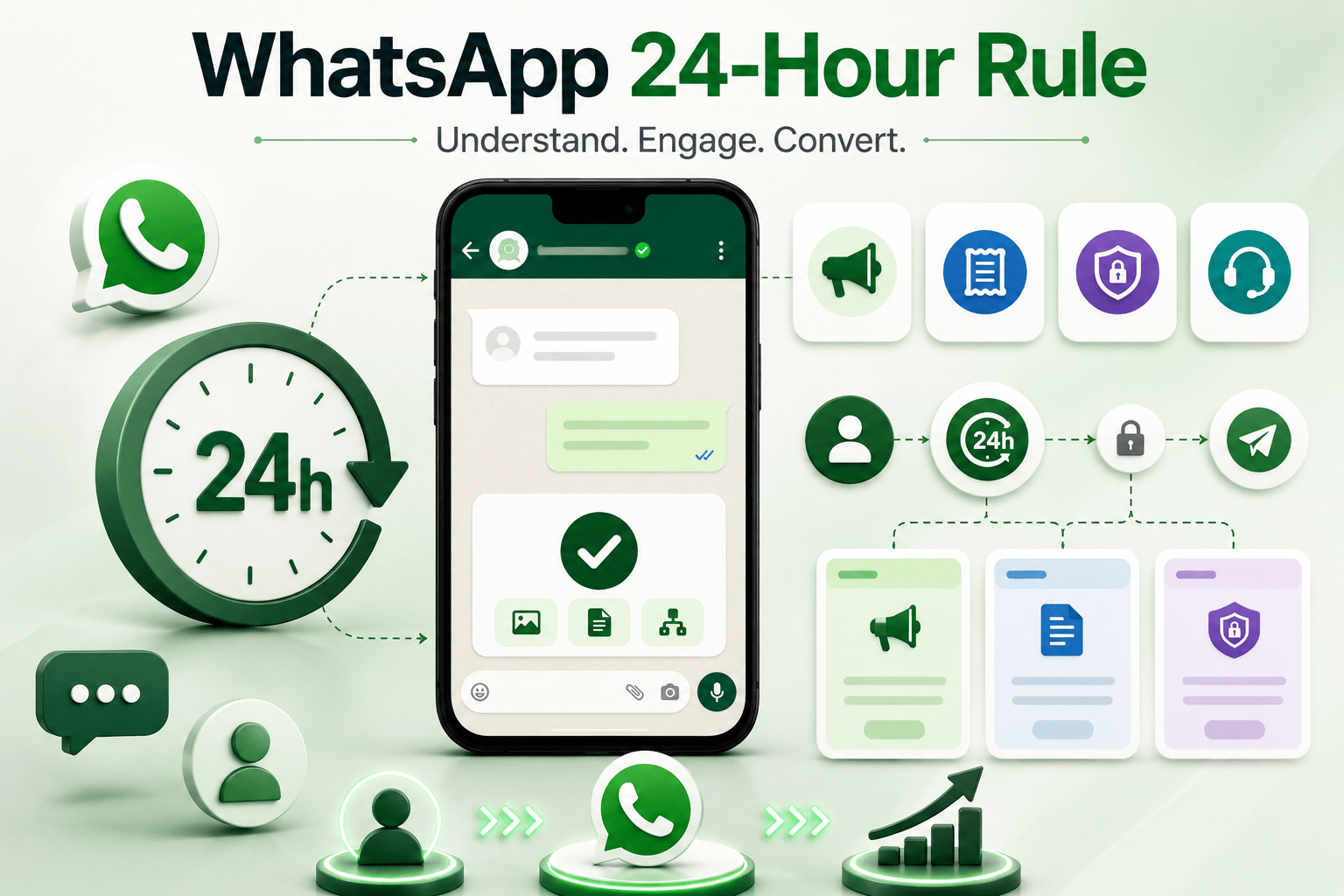
WhatsApp Business API has one rule that confuses almost every Indian business when they first encounter it.
The 24-hour customer service window.
Misunderstanding it costs businesses leads, gets numbers restricted, or causes them to abandon WhatsApp altogether thinking it is too limited for their use case.
Understanding it properly unlocks the lead nurture playbook that makes WhatsApp the highest-converting channel most Indian businesses have.
What the 24-hour window actually is
Once a customer sends a message to your WhatsApp Business API number, you have 24 hours from that message to reply with free-form content. Any kind of message - text, image, document, button, list, Flow.
After 24 hours of customer inactivity, that window closes. You can no longer send free-form messages.
Inside the 24-hour window - free conversation, billed per customer-initiated session (the cheapest conversation category).
Outside the 24-hour window - only pre-approved template messages can be sent. These are billed by category (marketing, utility, authentication).
Why Meta has this rule
To prevent spam. The rule ensures businesses can respond to customers who reach out, but cannot proactively message customers indefinitely without their continued engagement.
Every message sent outside the 24-hour window requires Meta's approval of the template content first. That review process filters out aggressive marketing, low-value spam, and policy violations.
The four template categories - what each one is for
Marketing templates
Promotional content. Offers. New product launches. Festive sales. Limited-time deals.
Highest-priced category. Most scrutinised by Meta. Requires explicit marketing opt-in from the customer.
Utility templates
Transactional content tied to a customer action. Order updates. Appointment reminders. Payment confirmations. Account notifications.
Mid-priced category. Usually approved quickly if the content is genuinely utility-related.
Authentication templates
OTPs and verification codes only. Strict format. No bundled marketing content.
Lower-priced category. Almost always approved if format is correct.
Service templates
Customer-initiated conversations. The customer messages you first, you respond. The cheapest category.
Not a template per se - this is the free-form 24-hour window itself.
How to design re-engagement that does not get rejected
1. Pick the right category
Marketing content in a utility template gets rejected. Promotional language in a service-category template can flag the number. Be honest about what each template actually is.
2. Reference specific context
Templates that reference the lead's specific enquiry by name and detail get approved faster and convert better than generic templates.
Bad - 'We have great offers on our products.' Generic. Could be from anyone.
Good - 'Hi [name], you enquired about [specific product / service] on [date]. We wanted to share that [specific new information relevant to your enquiry]. Reply STOP to opt out.'
3. Include opt-out
Every re-engagement template should have a clear opt-out option. Meta requires it for marketing templates. It also builds trust.
4. Pace it properly
Day 3 - first re-engagement (utility category if there is a transactional reason, marketing if not).
Day 7 - second re-engagement with new information.
Day 14 - third re-engagement, possibly with an offer.
Day 30+ - periodic check-ins, decreasing frequency. Quarterly cadence is usually right.
Aggressive cadence (daily template messages) damages the number's quality rating and risks restrictions.
Re-engagement that converts
What actually pulls leads back into active conversation -
-
specific new information relevant to their original enquiry (new property listing, new course batch starting, new variant launched)
-
limited-time offer with genuine value (not fake urgency)
-
social proof or customer story relevant to their interest
-
answering an objection they may have had (price, fit, timing)
-
calendar prompt - 'a slot opened up next week, would you like to take it'
-
milestone check-in - 'it has been 3 months since your enquiry, has anything changed in your plans'
What kills re-engagement
-
generic 'we miss you' templates with no specific context
-
aggressive sales pressure
-
templates submitted in the wrong category
-
high volume of templates to leads who never opted in for marketing
-
ignoring opt-outs
-
the same template sent repeatedly with no variation
The shift to make
Stop thinking of the 24-hour window as a constraint that limits what you can do.
Start thinking of it as the structural shape of a healthy WhatsApp relationship - active conversations are free-form and fast, dormant relationships are re-engaged through carefully designed, opt-in templates.
The businesses that master this rule turn their WhatsApp number into a long-term customer relationship asset. The businesses that fight the rule end up with banned numbers, frustrated customers, or abandoned WhatsApp programmes
About the Author

Ankur Singh
Ready to orchestrate your AI future?
Converiqo AI helps you design, deploy, and scale automation workflows that move your business faster, leveraging specialized solutions like our AI bot platform for lead generation, customer self-service AI bot platform, employee self-service AI bot platform, retail omnichannel automation, and our detailed guides on how agentic AI bot platforms work in enterprises and cost structure of enterprise AI bot platforms. Connect with our team to see the platform in action and co-create the next chapter of intelligent operations.
Read More Blogs
Discover more insights and product updates curated by the Converiqo AI team.
Real ROI of Field Force Automation - Beyond the Activity Dashboard
Four metrics that show real field force automation ROI in India - productivity, data reliability, throughput, and field attrition - not just the activity dashboard.

Beat Planning Is the Highest-Leverage Field Force Capability - Here Is Why
Beat planning decides coverage, call frequency, and whether field time is productive. Why it is the single highest-leverage field force automation capability.
Why an Indian Field Force App Has to Work Offline - and Be Built for Real Devices
Field work in India happens where connectivity is intermittent. A field force app that assumes constant connectivity fails exactly where field work is done.